
I remember the first time I tried Google Cardboard. I was skeptical. A piece of folded cardboard with two lenses? How could that possibly create virtual reality? Then I slid my phone in and put it to my eyes.
The 360-degree video transported me to a different place. I could look up, down, and all around. It was not perfect. But it was real enough to make me forget I was standing in my living room.
Let me explain exactly how this simple device works.
To Know How Does Google Cardboard Work?
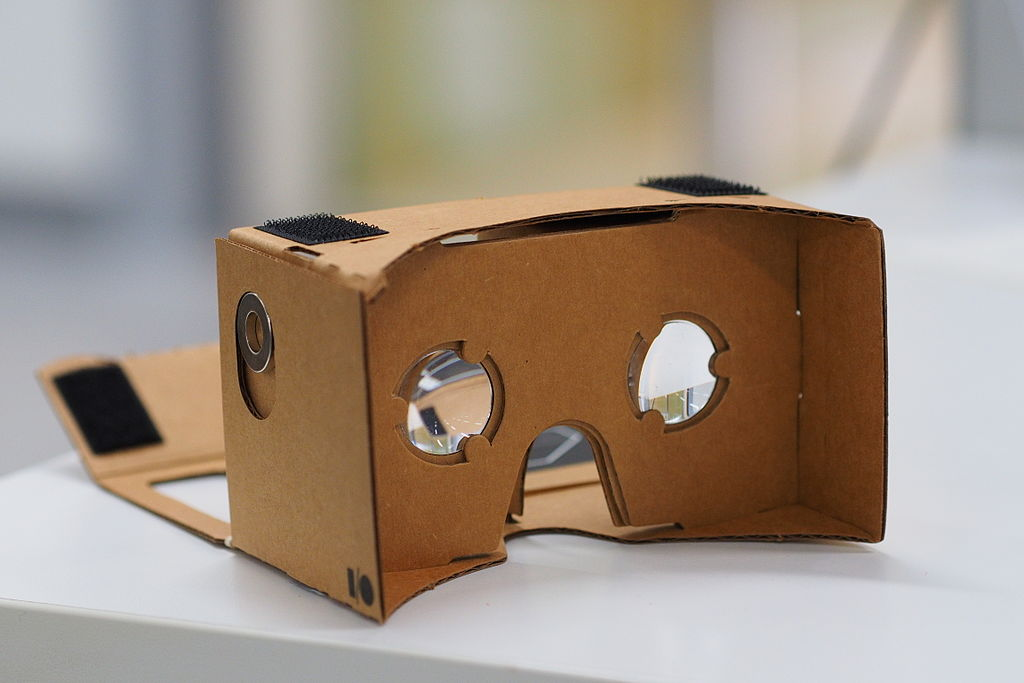
Google Cardboard is an entry-level mobile VR viewer. It does not have its own screen or processor. It uses your smartphone to do all the heavy lifting. The cardboard shell holds the phone in place. The lenses do the optical work.
Read Also: Google Cardboard Virtual Field Trips for Elementary Students
The concept was born in 2014 as part of Google's Expeditions program. The goal was bringing immersive educational content to classrooms. Google published open-source designs. Anyone could build their own. That open approach sparked a grassroots movement. Dozens of manufacturers started selling pre-made versions.
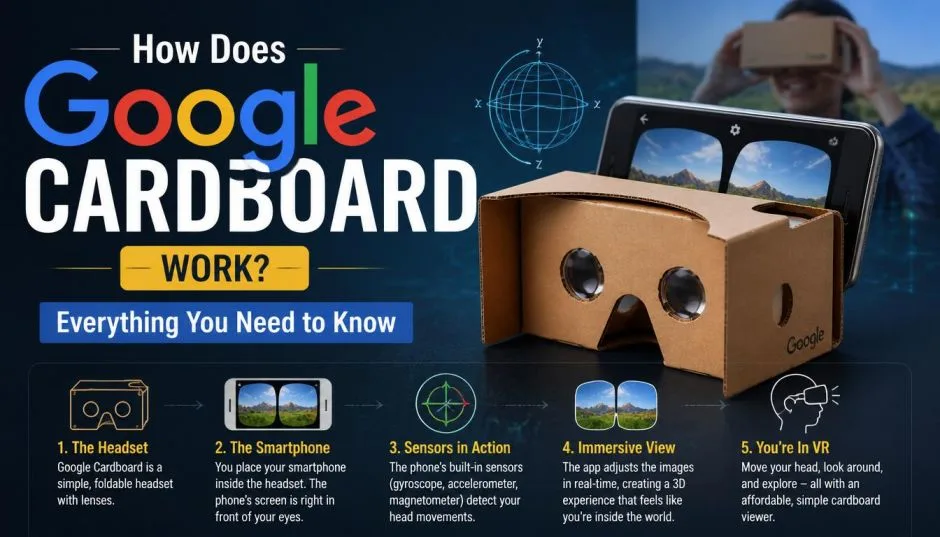
When you use Cardboard, your phone's screen splits into two halves. Each half shows a slightly different image. The lenses magnify and focus these images. Your brain combines them into a single 3D scene with depth. That is the magic of stereoscopy.
The Hardware Components
A standard Google Cardboard viewer includes several parts:
Cardboard shell. The frame holds everything together. It is usually made of durable corrugated cardboard. E-flute cardboard works best. It is strong and thin. Minimum size is 22 by 56 cm and 1.5 mm thick.
Two lenses. These are convex lenses with a 45 mm focal length. They magnify the phone's screen and create the stereoscopic effect. Biconvex lenses work best because they prevent distortion at the edges.
A conductive button. This allows interaction with apps. Early versions used a magnetic switch. Newer models use a capacitive touch button.
Velcro strips. Two pieces hold the phone securely in place. Approximate size is 20 by 30 mm.
A rubber band. This prevents the phone from sliding out. Minimum length is 8 cm.
Optional NFC tag. This can automatically launch compatible apps when the phone is inserted.
Some viewers come with a head strap. Others are handheld. The design varies by manufacturer.
How the Phone Does the Work?
The smartphone handles everything. The display. The sensors. The processing power.
Display quality matters. Resolution, refresh rate, and color accuracy affect the experience. Higher resolution screens produce sharper images. Lower resolution screens show visible pixels.
The gyroscope and accelerometer track your head movements. As you turn your head, the sensors detect the motion. The display updates in real time. That creates the sense of presence in a virtual environment.
Processing power renders the VR scenes smoothly. Complex apps and videos need more processing. Older phones may struggle or freeze.
The QR Code System
Every Cardboard viewer has a QR code. This code is essential. It tells your phone exactly how the viewer is built. The QR code contains parameters like:
-
Distance between the lenses
-
Distance from screen to lens
-
Distortion coefficients for the lenses
When you scan the code, your phone optimizes the display for that specific viewer. The distortion correction counters pincushion distortion from the lenses. This ensures a clear, comfortable viewing experience.
Google provides an online viewer profile generator for manufacturers . Developers can also set viewer parameters programmatically using the Cardboard SDK.
How to Use Google Cardboard?
Here is the step-by-step process:
Step one: Get a viewer. You can buy one pre-made. Or you can build your own using Google's free template.
Step two: Open the Cardboard app on your phone. Or open any compatible VR app.
Step three: Pair your phone with the viewer. Use your phone's camera to scan the QR code on the viewer. You might need to remove the cardboard sleeve to find it.
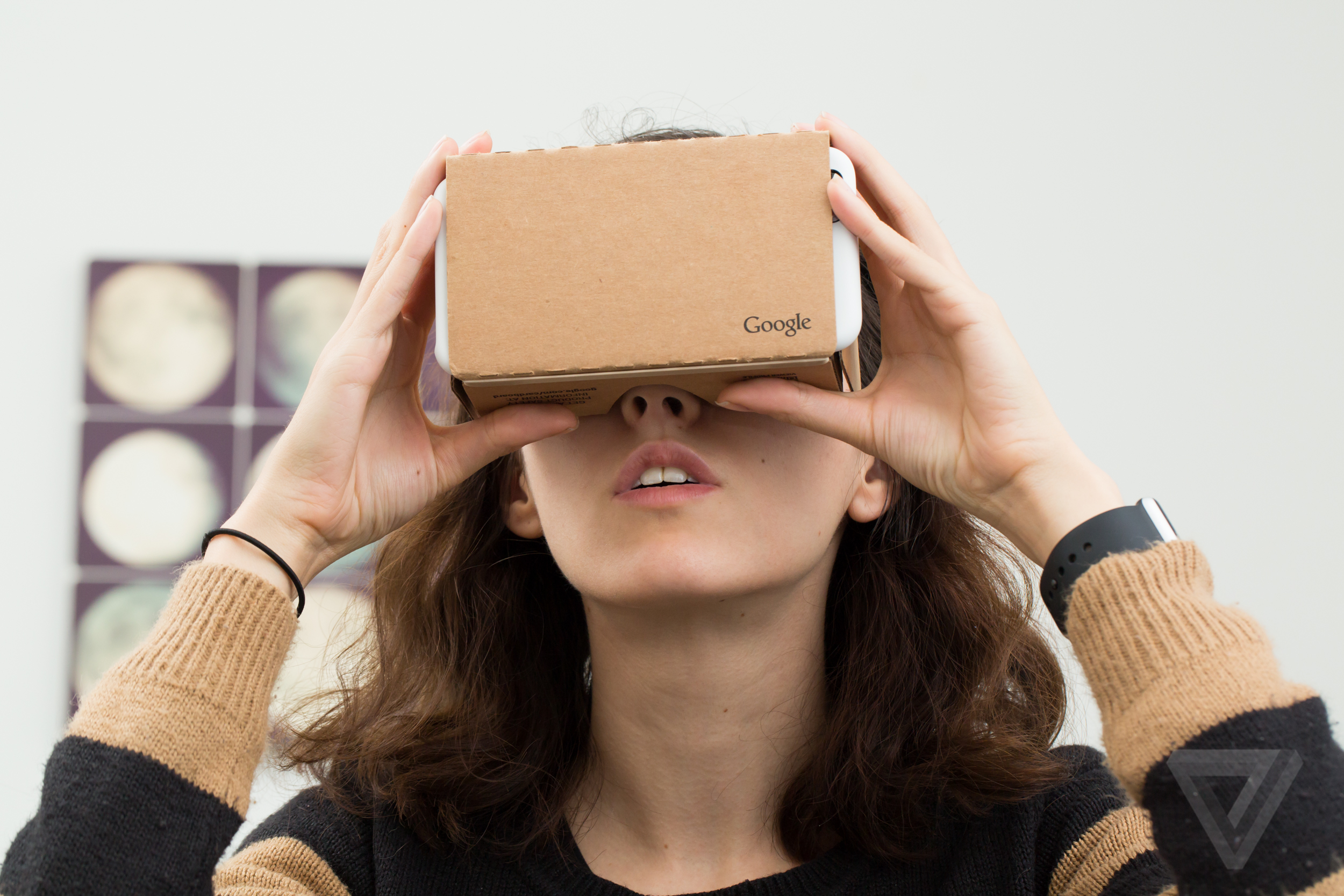
Step four: Open the top flap of the viewer. Put your phone inside with the screen facing the lenses. Close the flap.
Step five: Before you look through the viewer, look at a distant object. That helps your eyes adjust. Close your eyes as you bring the viewer up to your face.
Step six: Follow the on-screen instructions. Look around to explore the virtual world.
What You Can Do with Cardboard?
Cardboard supports several types of content.
360-degree videos. YouTube has a dedicated VR channel. Search for "Virtual Reality" to find it. Tap the play button. Then tap the Cardboard icon. The screen splits into two. Insert your phone into the viewer. Look around to view the video in 360 degrees.
Google Street View VR. Explore places around the world. Look up, down, and all around.
VR games. Simple interactive games are available. They use head tracking and the viewer's button for controls.
Educational experiences. Google Expeditions was designed for classrooms. Students can take virtual field trips.
Google Cardboard on iOS
Cardboard works on iPhone too. But there are limits.
The iPhone must run iOS 8.0 or higher. The Cardboard SDK for iOS supports iOS 12.0 and above. You need Xcode 12.5 or higher for development.
However, YouTube VR does not support iPhone. The official Google support page states that Cardboard is not supported for iPhone and iPad for YouTube's VR features . You can still use other Cardboard-compatible apps from the App Store.
Pros and Cons
Let me be honest about the experience.
Pros:
Affordable. Viewers cost anywhere from $7 to $35. Some are even free with promotional offers.
Portable. Cardboard is lightweight and foldable. You can carry it anywhere.
Works with many phones. Most modern smartphones work with Cardboard. Check if your phone has a gyroscope.
Good introduction to VR. Beginners can explore virtual reality without a huge investment.
Cons:
Not very interactive. The experience is mostly visual. Games are simple.
Phone-dependent quality. The experience depends entirely on your phone's screen and sensors. Older phones may struggle.
Limited battery life. VR apps drain your phone's battery quickly.
Basic input. The conductive button offers limited interaction. No controllers or hand tracking.
FAQ's- Google Cardboard QR Code Free
How does Google Cardboard work iOS?
It works the same way as Android. The phone splits the screen into two images. The lenses create depth. The gyroscope tracks head movement. But YouTube VR is not supported on iOS.
Google Cardboard VR videos 360 where to find?
Search for "VR video" or "Virtual Reality" on YouTube. Look for the VR channel icon. Tap the Cardboard icon before inserting your phone.
Google Cardboard QR code free where to get?
Most viewers come with a QR code printed on the cardboard. The Google support site also has a viewer profile generator for manufacturers.
The Final Thoughts
Google Cardboard is simple but clever. It uses your smartphone's display, gyroscope, and processing power. The cardboard shell holds everything in place. The lenses create the stereoscopic effect. The QR code optimizes the display for your specific viewer.
It is not high-end VR. It is not the Oculus Rift or HTC Vive. But it is accessible. It is affordable. And it gives you a taste of what virtual reality can be. That is why it has introduced millions of people to VR.