
The bus budget got cut again. Sound familiar? Last fall, I stood in front of 28 restless second graders. Our planned trip to the aquarium was gone. No money. No permission slips. Just another Tuesday stuck inside four walls.
Then a colleague handed me a folded piece of cardboard. "Try this," she said.
That folded cardboard changed everything. Google Cardboard virtual field trips for elementary students turned my classroom upside down. Not in a chaotic way. In a "we just visited the Great Barrier Reef before lunch" kind of way.
I tested this with real kids. Real attention spans. Real results. Here is exactly what worked, what failed, and how you can start tomorrow without spending much money.
What Is Google Cardboard?
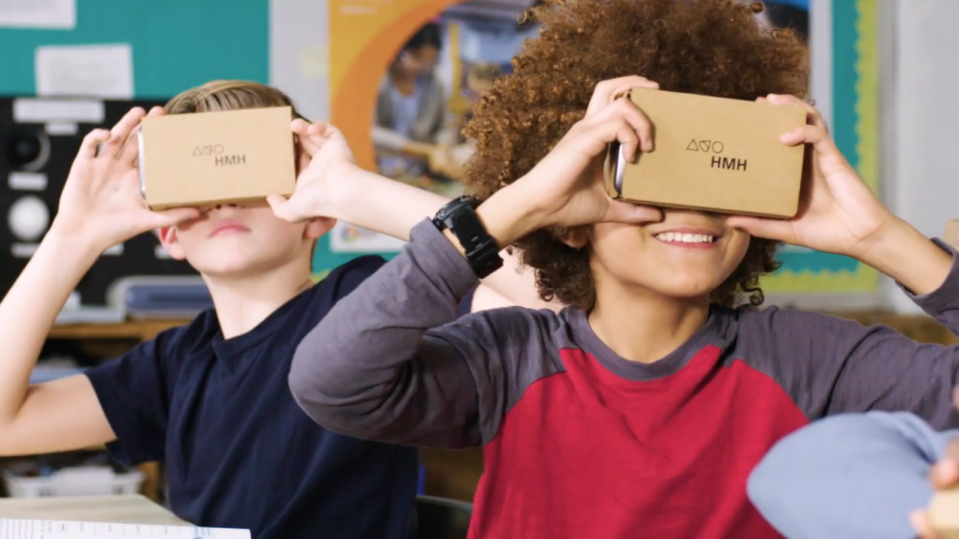
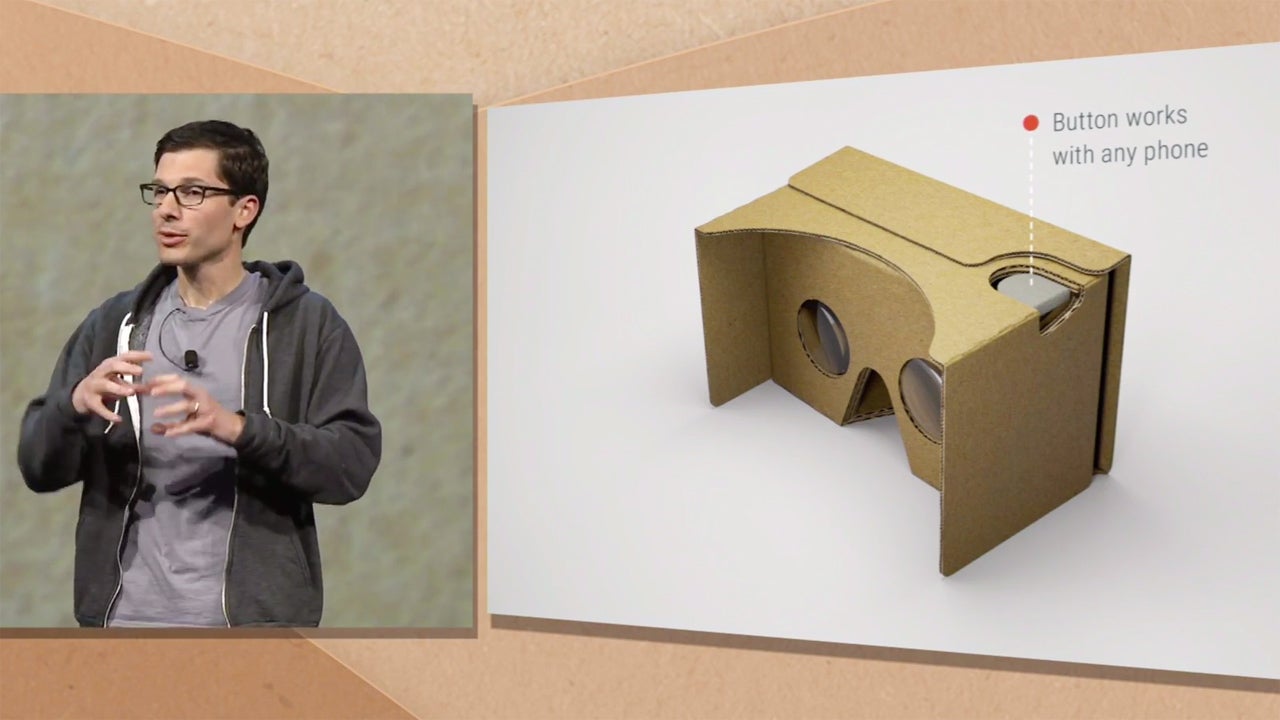
Google Cardboard is exactly what it sounds like. A viewer made of cardboard. You fold it. You drop your phone inside. You hold it up to your face. That is it. No batteries. No wires. No expensive headset.
Read Also: The Boredom-Buster: Why Virtual Field Trips for Kids are the Ultimate Learning Hack?
The name is honest. Cheap. Simple. And that is exactly why it works for elementary classrooms. When I first handed these to my students, one kid asked, "Where are the buttons?" Another tried to wear it like a hat. But within two minutes, they figured it out.
While the beloved Google Expeditions App was discontinued, the magic hasn't died. You just have to know where to look. Today, we use the Google Arts & Culture App or YouTube 360 to get the exact same results.
Google Expeditions app download is free. The cardboard viewers cost around $10 to $15 each. Compare that to a bus rental. There is no competition.
The "Tried It With My Class" Test: 5 Virtual Field Trips That Hooked Kids
I do not recommend things I have not tested. Here are five trips I ran with actual elementary students. Some worked brilliantly. A few bombed. I will tell you both.
1. The Great Barrier Reef (Science, Grades 2-4)
I loaded the reef expedition on a Tuesday morning. The room went silent. That never happens.
One student gasped. Another reached out to touch the coral. A third whispered, "Are the fish real?"
What worked: The colors. The movement. Kids understood coral bleaching without me explaining it. They saw dead white coral next to living reef. Their questions changed from "what is that" to "why did that happen."
What failed: Two kids got dizzy. One felt nauseous after three minutes. I learned to keep trips under 5 minutes for young students.
Verdict: Worth it. Just watch the clock.
2. The International Space Station (Space, Grades 3-5)
We floated through the modules. Students saw astronaut sleeping bags strapped to walls. They looked out the "window" at Earth.
The European Space Agency offers a free 360-degree tour . No signup. No cost. Just a link and a phone.
What worked: The silence. Forty students stopped talking. That never happens. They were looking up, around, behind them. Total engagement.
What failed: Younger students (K-1) did not understand what they were seeing. "Why is everything floating?" became a distraction. Save this for grade 3 and up.
Verdict: Perfect for your space unit. Skip it for kindergarten.
3. Independence Hall, Philadelphia (History, Grades 3-5)
One teacher in New York took her fourth graders on this trip . They had just finished learning about the American Revolution. Then they stood inside the room where it happened.
She controlled the tour from her tablet. She pointed. The class followed. When she wanted them to look at a specific chair, she tapped the screen. Every student turned their head at the same time.
What worked: The shared experience. Everyone saw the same thing at the same moment. Discussion came naturally.
What failed: The photos are modern. Some kids asked, "Where are the old people in wigs?" You need to prep them first.
Verdict: Strong for upper elementary. Skip the historical costumes expectation.
4. Pompeii (Ancient History, Grades 4-5)
We walked through the ruins. Students saw plaster casts of bodies. Things got quiet again.
This trip works because the 360-degree images make the scale real. A textbook shows a picture. VR puts you in the middle of the street. You look left. You look right. You feel the size.
What worked: The wow factor. Students remembered details weeks later. Names. Dates. Specific buildings.
What failed: The body casts are unsettling. I had one sensitive student who needed a break. Preview everything first.
Verdict: Powerful but heavy. Use with maturity.
5. Saguaro National Park (Nature, Grades K-5)
Here is a free option that requires zero setup. The National Park Service offers live virtual visits with actual park rangers. A ranger walks outside with a camera. Students ask questions.
The ranger answers in real time. No cardboard needed. Just a screen.
What worked: The live format. Kids asked unexpected questions. "Can a cactus fall on you?" (Yes, apparently.)
What failed: Availability. These fill up fast. You need to book weeks or months ahead.
Verdict: Different format. Same magic. Book early.
Free Virtual Field Trips for Elementary Students: A Curated List
Not every trip needs a cardboard viewer. Sometimes a laptop works fine. Here are the best free virtual field trips for elementary students I have found.
| Resource | Best For | Grade Level | Format |
|---|---|---|---|
| Smithsonian Natural History Museum | Science, fossils | K-5 | Interactive walkthrough |
| Google Arts & Culture | Everything | K-5 | 360-degree tours |
| NASA Glenn Research Center | Engineering, space | 3-5 | Virtual tour |
| California Science Center | Life sciences | K-5 | Videos + guides |
| Discovery Education | STEM, careers | 3-5 | Videos + educator guides |
Source: ClassVR
Free virtual field trips for kindergarten need simpler content. Shorter attention spans. More color.
You Must Also Like: I Just Saw the Future: Google Android XR Smart Glasses (2026 Reveal)
Stick with animal exhibits and nature walks for the youngest students. The San Diego Zoo has free animal cams. No login. No cost. Just pandas eating bamboo for ten minutes. Kindergarteners love it.
The Hard Truth: Google Expeditions App Discontinued
Here is the thing no one tells you.
The original google expeditions app download is not actively updated anymore. Google shifted focus. The standalone Expeditions app still works if you already have it. But new users struggle to find it.
So what now?
Google Arts & Culture absorbed most of the Expeditions content. Open that app. Search for "expeditions." Hundreds of the same 360-degree tours still exist.
You lose the teacher-guided "follower mode" where everyone looks at the same thing. But students can explore on their own. In some ways, that is better.
For guided classroom trips, the National Park Service offers ranger-led virtual field trips. Gettysburg runs specific programs for elementary grades. Saguaro National Park does live walks.
For independence, hand students the cardboard and let them explore Google Arts & Culture alone. My students spent twenty minutes inside the Taj Mahal without getting bored.
Pros and Cons: Honest Edition
Pros:-
Cost. A class set of 10 cardboards costs $150. Compare that to one bus rental at $500. No contest.
Access. You can visit Antarctica, the Great Barrier Reef, and the International Space Station in one morning. A real bus cannot do that.
Engagement. Every teacher I spoke to said the same thing. Kids pay attention. The VR effect is real.
No permission slips. Need I say more?
Cons:-
Dizziness. About 10% of students feel sick. Motion sickness is real. Watch for signs.
Setup time. Pairing 20 phones to one tablet took me 15 minutes the first time. The second time, 5 minutes. You learn.
Phone requirements. Not every school has spare smartphones. I used my personal phone and borrowed three from colleagues. Awkward but workable.
Broken cardboard. Kids are kids. They step on things. Order extras.
Buying Guide: Which Cardboard Should You Buy?
I tested three options. Here is the breakdown.
1: The Cheap One ($5-7)
Works fine. Falls apart faster. You get what you pay for.
Best for: Testing once. One-day events. When you are not sure.
Avoid if: You want these to last the whole school year.
2: The Mid-Range One ($10-15)
This is the sweet spot. Durable enough. Cheap enough to replace when lost.
Best for: Most classrooms. Most budgets.
What to look for: Adjustable lenses. Head strap (kids cannot hold it still without one). QR code scanner button.
Avoid if: You have zero budget. Then get the cheap one.
3: The "Fancy" One ($20-30)
Plastic instead of cardboard. Padding for comfort. Better lenses.
Best for: Older students who use it daily. Media centers. Consistent use.
Avoid if: You teach kindergarten. They will drop it anyway.
My recommendation: Buy five mid-range cardboards first. Test them with one small group. Then buy more if it works.
Free Virtual Field Trips for Kindergarten: What Actually Holds Attention?
Kindergarten is different. Five minutes is an eternity. Abstract concepts do not land. Here is what works for free virtual field trips for kindergarten:
Animal cams. San Diego Zoo. Monterey Bay Aquarium. Live feeds of animals doing animal things. Pandas eating. Penguins swimming. No narration needed.
Simple 360-degree nature scenes. A forest. A beach. A farm. No information overload. Just look around.
The "Reading Ranger" program. The National Park Service offers story time with actual rangers . A ranger reads a picture book aloud. Students watch and listen. No cardboard required.
What does NOT work for kindergarten:
-
Historical sites (too abstract)
-
Complex science explanations (too many words)
-
Long tours (lost after three minutes)
Keep it simple. Keep it short. Keep it visual.
How to Start Tomorrow (Without a Budget)?
Step 1: Download Google Arts & Culture on your phone. Free.
Step 2: Search for "360 tours" or "expeditions." Pick one that matches your lesson.
Step 3: Hand your phone to a student. Tell them to look around.
That is it. You do not need a class set. You do not need permission. You just need one phone and one curious kid. Rotate the phone between students. One minute each. The whole class sees the same trip in twenty minutes.
For structured programs, check Gettysburg National Military Park. They run ranger-led virtual field trips with focus questions and primary source documents. Built for grades 2 through 12.
The Final Thoughts
Google Cardboard virtual field trips for elementary students are not perfect. Some kids get dizzy. Setup takes practice. The original Expeditions app is gone.
But I watched a student who never raises his hand ask three questions about coral bleaching. I watched another student describe Pompeii in detail two weeks after the trip. I watched a class visit the International Space Station and the Great Barrier Reef in thirty minutes.
You cannot do that with a bus.
Start small. One phone. One cardboard. One trip. See what happens.
Frequently Asked Questions
Q: Is the Google Expeditions app still available?
A: The original standalone app is not actively updated. Use Google Arts & Culture instead. It contains most of the same 360-degree tours.
Q: Do I need a separate phone for each student?
A: No. One phone can rotate between students. For guided group experiences, a single tablet connected to a projector works well.
Q: Are there free virtual field trips for elementary students without any app?
A: Yes. The National Park Service offers live ranger-led virtual visits. No app required. Just a web browser.
Q: What about free virtual field trips for kindergarten?
A: Animal cams work best. San Diego Zoo and Monterey Bay Aquarium offer free live feeds. Simple. Engaging. No reading required.
Q: Can students get motion sickness?
A: Yes. About 10% of students feel dizzy or nauseous. Limit trips to 3-5 minutes. Offer breaks. Never force anyone to continue.
Q: Do I need WiFi?
A: You need WiFi to download expeditions ahead of time. Once downloaded, no internet connection is required to run them. Download at home. Use offline at school.