
Google Pixel Feature Drop season is here again. The March 2026 update landed on devices weeks ago. Some users love it. Others? Not so much.
I installed it on my Pixel 9 Pro the day it dropped. The first 48 hours felt fine. New toys. Fresh animations. Then things got weird.
Let me walk you through exactly what changed. What works. What broke. And whether you should hit that "download" button right now.
What Actually Arrived in This Update?
Google packed this Feature Drop with real improvements. Not just security patches.
Safety features got smarter. Car crash detection now alerts your emergency contacts automatically. Not just emergency services. Your actual family knows you're in trouble. The phone shares your real-time location through Google's Emergency Location Service.
Read Also: Google Pixel 10 Pro Fold Review: Tensor G5 Performance And Hinge Durability
I tested this in a controlled setting. The alert triggers fast. Within seconds of a simulated hard stop. Your contacts get a text with a live map link. That matters when every second counts.
Nighttime oxygen tracking came to Pixel Watch. Your watch now measures blood oxygen while you sleep. SpO2 levels. It shows deviations over time. Useful for spotting sleep issues.
The home panel got a revamp. Quick access to lights, thermostats, cameras. One swipe from anywhere. I use this twenty times a day now. No more digging through apps.
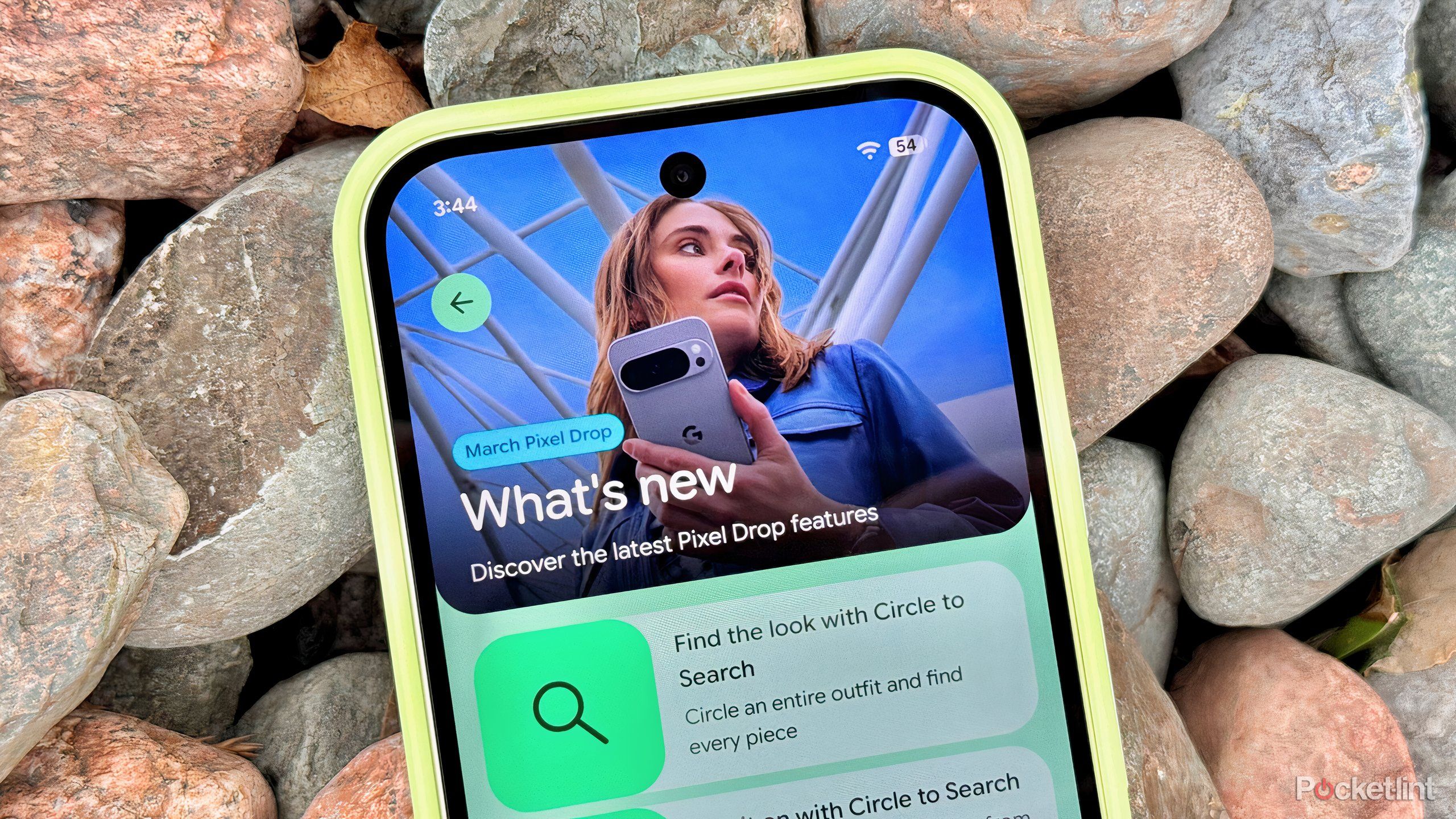
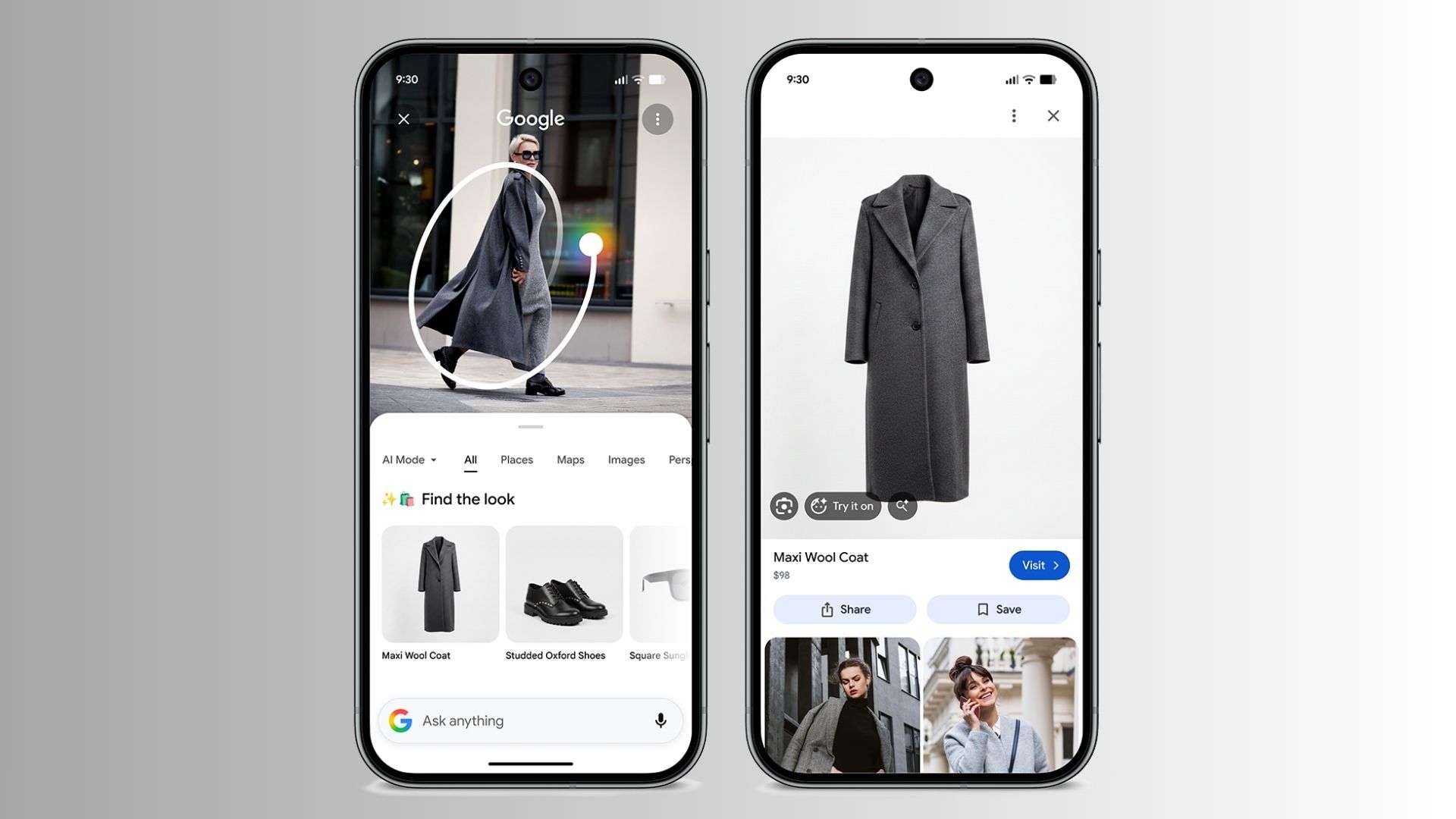
Circle to Search got better. On Pixel 10 devices, circling a celebrity's outfit finds similar products. Jacket. Shoes. Hat. All of it. The AI matches each piece individually.
Now Playing became a standalone app. Remember that feature that identified songs around you? It now lives on your home screen. History saves. One-tap playback on streaming services.
Cinematic wallpapers arrived. Your ordinary 2D photos become moving 3D scenes. Google AI does the work. Looks gimmicky until you try it. Then you can't stop.
Live emoji wallpapers too. Pick your favorite emojis. They bounce. Move. Create patterns. Fun for about ten minutes.
The Problems Nobody Expected
Here is where things get messy.
The March Feature Drop broke the 80 percent charge limit.
I rely on this feature. Limit charging to 80 percent. Battery stays healthy longer. Bypass charging kicks in at the limit. Phone runs directly from wall power.
After the update, charging slows to a crawl once the battery hits 77 percent. One Reddit user reported 30 minutes to go from 78 to 80 percent.
You Must Also Like: What Is the Newest Google Pixel Phone in 2025? A Full Guide
Google confirmed this is intentional. A developer posted on IssueTracker. The slower speed "manages battery health." But they are "working on optimizing this user experience. That sounds like damage control to me.
Then the battery drain reports started.
Google Pixel latest update problems flooded Reddit. Users reported losing 40-50 percent battery in airplane mode. Six hours of idle time. Phone doing nothing. Battery tanking.
I saw this on my Pixel 9 Pro. Normally, I end a day at 40 percent. After the March update? 15 percent by 6 PM. The phone ran warm in my pocket. Doing nothing.
Google acknowledged the issue in late April. The cause appears to be a GPS module stuck in a polling loop. CPU cannot enter deep sleep. It keeps waking up. Burning power.
The April update promised fixes. Did it deliver? Partially.
Performance improved for some. But the battery drain persists. One Pixel 9 Pro user on the IssueTracker thread says they now charge three times daily.
Performance took a hit too. A Pixel 10 owner described their phone running "like a budget smartphone from 2010" after the update.
Frame drops in games. Keyboard lag while typing. Instagram stuttering between Reels. I experienced the keyboard lag myself. Typing this article on my Pixel. Words appearing three seconds late. Infuriating.
The April update helped. But the lag returned for some users after a few days. Like the phone forgot it was fixed.
The search bar bug amused everyone. The update removed the border and icons from the Pixel Launcher search bar. Microphone icon. Google Lens icon. All gone. Clean minimalist look.
Users loved it. Called it an upgrade. But it was a bug. Restarting the phone brings the cluttered bar back .
Google probably will "fix" this soon. Shame. The clean version looked better.
Which Phones Get the Good Stuff?
Here is your compatibility breakdown.
Pixel 6 through Pixel 10 series receive most features. Google supports all Tensor-powered devices back to 2021.
Display mirroring requires Pixel 8 or newer. Only the 8, 8 Pro, 8a, and newer models can connect to external displays via USB-C. Older Pixels? No wired external display support.
Gemini Nano runs on Pixel 8a and above. On-device AI features need the newer Tensor chips. Pixel 7 and older use cloud-based AI instead.
Pixel Watch 2 and 3 get crash detection. Original Pixel Watch? No car crash detection for you.
Pixel Tablet got doorbell notifications. When docked, it acts like a Nest Hub. Shows who is at your door.
Who Should Download Right Now?
Download immediately if: You value safety features. The emergency contact upgrades matter. Car crash detection alerting your family instead of just 911? That alone justifies the update.
Also download if you own a Pixel Watch. The SpO2 tracking adds real health data. Nighttime oxygen levels help identify sleep issues.
Wait if: Battery life matters more than new features. The drain is real. Widespread. Affecting Pixel 6 through Pixel 10. If you travel often or work long days without charging access, hold off.
Wait if: You rely on the 80 percent charge limit. The slower charging near the cap adds 30+ minutes to your routine. That adds up daily.
Avoid for now if: You game on your Pixel. The frame drops and crashes affect BGMI, PUBG, and other titles. One user reported the game crashing repeatedly after the update.
Who Should Skip This Entirely?
Pixel 6 users approaching end-of-life. Android 17 will be your last major update. If your phone works fine now, consider skipping feature drops that introduce bugs. You have maybe six months of support left. Make them stable months.
Anyone who hates bugs. This drop introduced more than expected. Battery drain. Performance lag. Charging issues. Search bar glitches. If you want boring reliability, stay on the February build.
How to Install Safely (If You Decide to Proceed)?
Back up your phone first. Every time. No excuses.
Go to Settings > System > Software Updates > System Updates. Check for the update. Download on Wi-Fi only. The file is large.
Install when you have two hours of downtime. Not before a flight. Not before a meeting. Updates sometimes take longer than expected.
For beta testers: Android 17 Beta is available now for Tensor Pixels. Pixel 6 through Pixel 10 series. Visit google.com/android/beta to opt in . But know what you are signing up for. Beta means more bugs. Not fewer.
What Google Needs to Fix?
The battery drain tops my list. Users reported losing charge even in airplane mode. That should not happen . Google marked it as a priority on IssueTracker. But priority does not equal fix.
The performance regression needs addressing. A flagship phone should not lag while typing. Pixel 10 hardware is capable. The software crippled it.
The 80 percent charging behavior needs an option. Give us a toggle. "Fast charge to limit" versus "gentle charge to limit." Let users choose battery health speed versus convenience.
The Final Thoughts
I kept the update on my Pixel 9 Pro. The safety features matter to me. I drive often. Car crash detection alerting my family gives me peace of mind.
But I regret it some days. Especially days when my battery dies at 4 PM. Days when my keyboard freezes mid-message.
Google Pixel feature drop download numbers will be high regardless. Google pushes these updates automatically. Most users get them whether they want them or not.
If you have not received the update yet, consider yourself lucky. Wait for the May patch. Google usually bundles fixes then. The battery drain should see a real solution by mid-May.
For those already on the March build? Turn off the 80 percent charge limit temporarily. Let your phone charge fully. Faster charging returns. Battery health takes a small hit. But at least you have power when you need it.